Open-source foundations. Company-controlled setup.
Your AI system.
Owned by you.
Your business memory. Your connected tools. Your AI system, owned by you.
OpenXCEL AI remembers your company’s knowledge, connects your tools, and helps your team create, manage and automate work.
Built, maintained and improved with AiXCEL Solutions.
Company memory
The next task should start informed.
Stop explaining the same client, decision or process every time a new task begins. Give your team relevant context they can inspect, update and reuse.
Personal conversations stay separate from room, client and company knowledge. Selected work facts can be suggested for review and sharing.

Use authorized files, meetings and work context.
Separate personal, room, client and company knowledge.
Promote selected facts, retain source context and update stale knowledge.
Real workflow captures
Ask. Review. Receive the work.
Dedicated Slack rooms keep requests, revisions and deliverables together.


Useful outputs
Give the work a home.
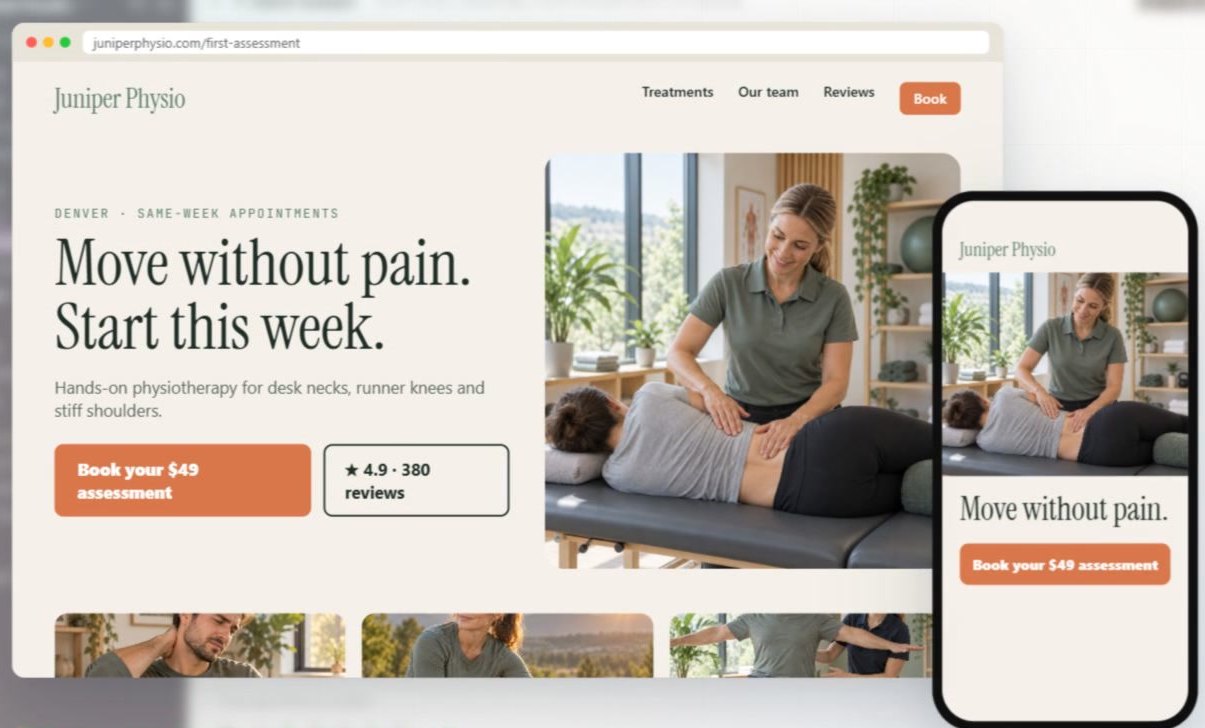
Prepare client reports, follow-ups, creative assets and page drafts. Bring meeting decisions forward. Build onboarding, offboarding and handoff workflows around your team.
We configure reusable skills, schedules and approved tool actions around the work that matters.
Explore every product tab ↓Integration options
Keep the tools.
Connect the work.
Bring permitted ad data, CRM context and existing automations into a useful workflow.
Meta AdsPerformance context
Google AdsCampaign reporting
Google AnalyticsWebsite behavior
MakeExisting automations
ZapierApp-to-app workflows
SlackTeam conversations
HighLevelClient operations
HubSpotSales context
SalesforceAccount workflows
Zoho CRMPipeline follow-through
monday CRMWork and ownership
CloseSales follow-upConnections are selected, authorized and tested for each deployment. Logos identify third-party products and do not imply endorsement.
A practical first workflow
Read campaign results → add CRM context → prepare an owner briefing → review the next action.
Built on open-source foundations
Owned by you.
Built around your rules.
Your company’s setup
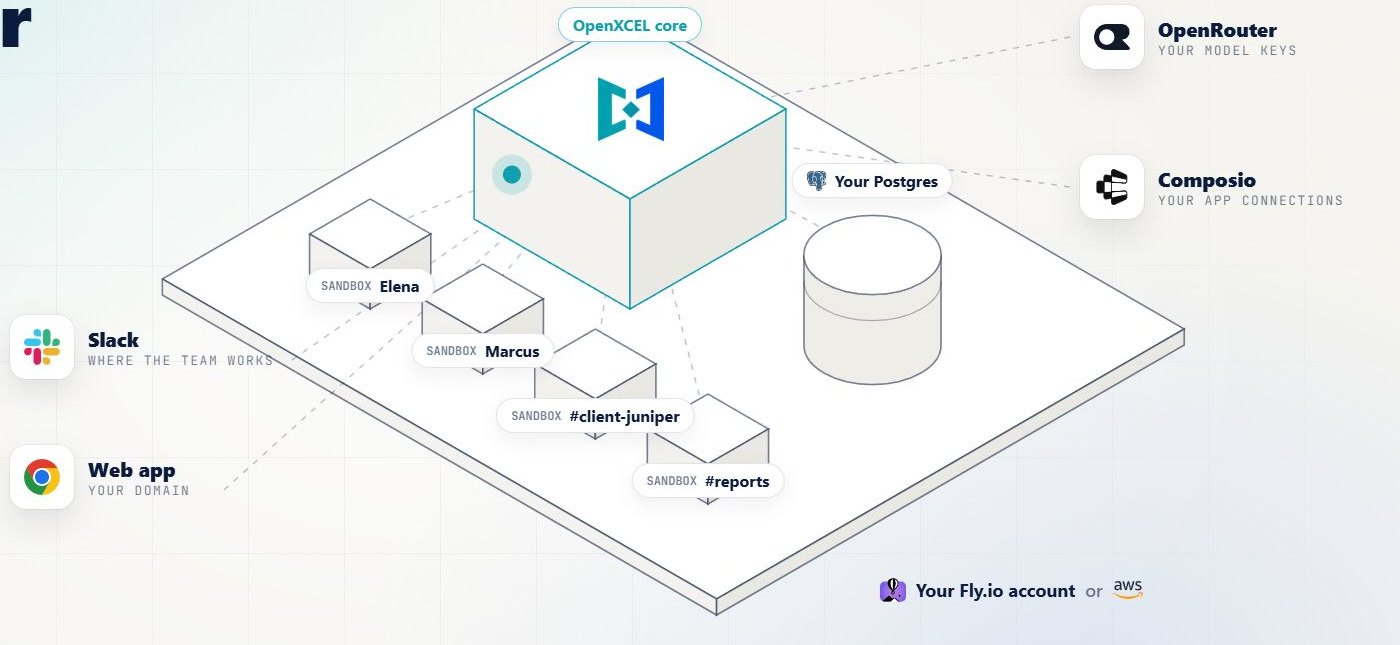
Control deployment access, company data, connected accounts and permissions.
Your way of working
Customize branding, instructions, knowledge boundaries, outputs and workflows.
A continuing partner
Get implementation, training, maintenance and agreed improvements as your needs grow.
Handover, backups, export and agreed custom deliverables are defined from the start. Underlying software and third-party services retain their licenses.
Native product tour
See the system behind the promise.
Branding-adapted views composed from captured workspace navigation and content. Select a tab to see what it does; open any image for a closer look.
Projects
Keep the right people in the same context.
Personal, shared-channel and group workspaces separate conversations by the people doing the work.

Captured 16 September 2026. Navigation and content were composed for readability; selected sensitive details are masked.
Chats
Pick up where the work left off.
Browse prior conversations and their workspace. Slack conversations retain a link back to the original thread.

Captured 16 September 2026. Navigation and content were composed for readability; selected sensitive details are masked.
Unified inbox
Find the conversation before writing the reply.
A filtered view of messages from connected accounts. The capture shows Gmail items; access to each source is configured separately.

Captured 16 September 2026. Navigation and content were composed for readability; selected sensitive details are masked.
Brain Map
Make business relationships easier to follow.
The live summary exposes authorized clients, people, accounts and evidence categories. The graph did not render during this capture; the image shows the summary only.

Captured 16 September 2026. Navigation and content were composed for readability; selected sensitive details are masked.
Files
Turn conversations into deliverables.
The real library contains page files, CRM fragments, QA notes and delivery manifests. Uploaded and generated files stay associated with their work context.

Captured 16 September 2026. Navigation and content were composed for readability; selected sensitive details are masked.
Scheduled work
Keep useful context moving.
The Crons tab shows recurring meeting and email knowledge-sync schedules. Schedule instructions are private and masked.

Captured 16 September 2026. Navigation and content were composed for readability; selected sensitive details are masked.
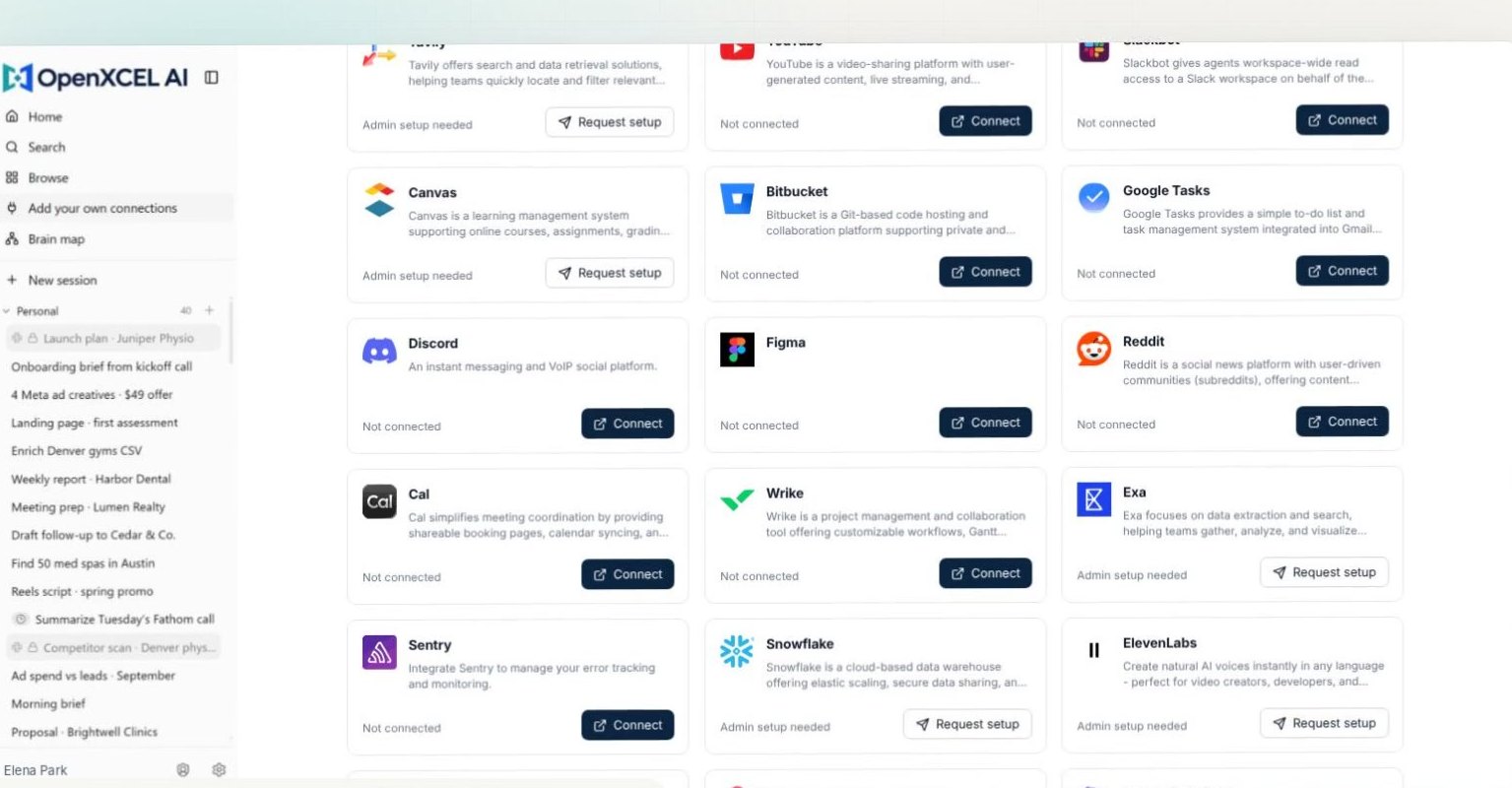
Connections
Use the tools your team already relies on.
The catalog distinguishes connected apps from apps awaiting authorization. A catalog entry is a connection option, not proof of an active workflow.

Captured 16 September 2026. Navigation and content were composed for readability; selected sensitive details are masked.
Keychain
Make access a deliberate decision.
The interface separates linked accounts, stored credentials and shared grants. No secret values were opened or captured.

Captured 16 September 2026. Navigation and content were composed for readability; selected sensitive details are masked.
Apps
Keep internal tools close to the work.
The app library displays deployment versions and running or stopped states. One existing entry is running; historical test entries are stopped.

Captured 16 September 2026. Navigation and content were composed for readability; selected sensitive details are masked.
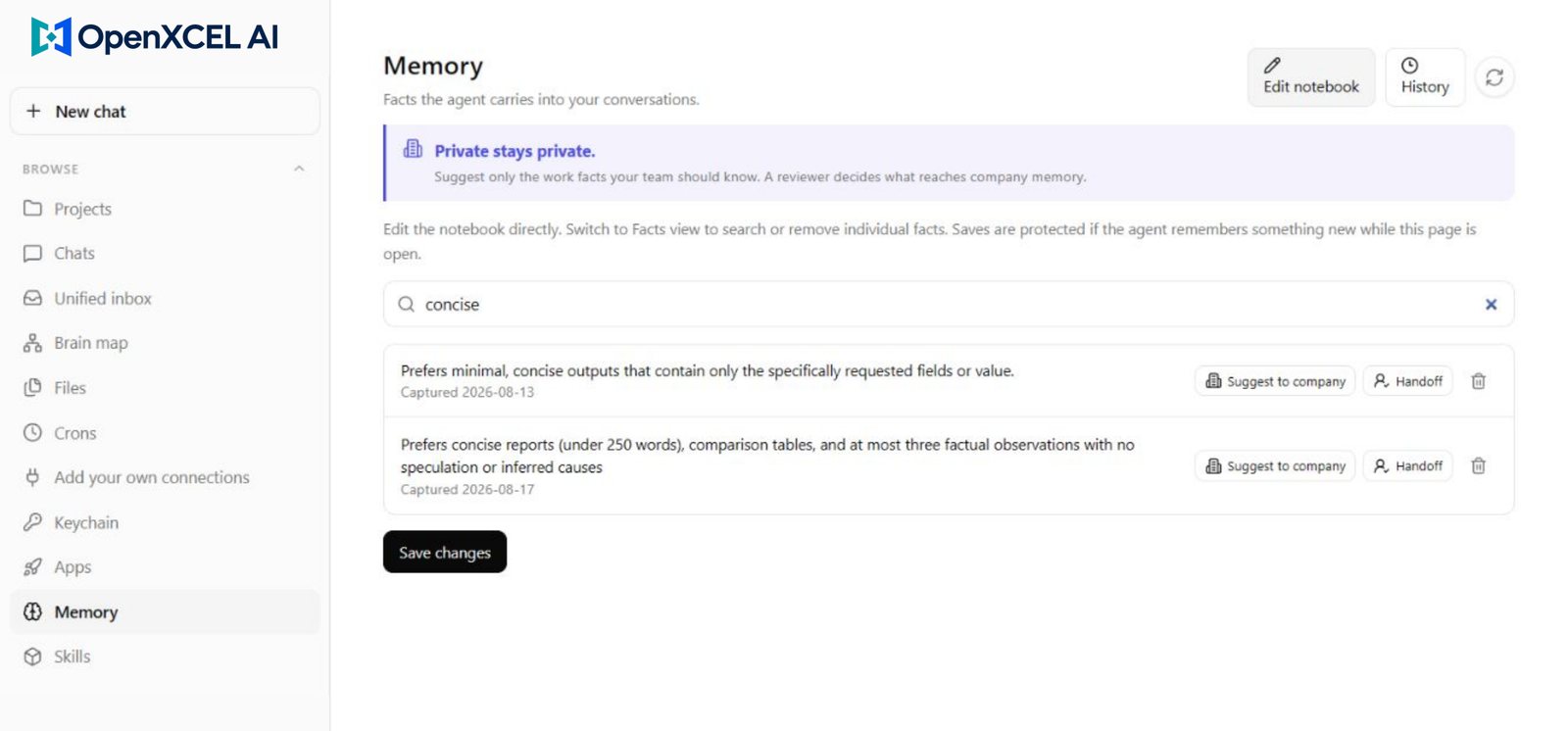
Memory
Keep what matters for the next task.
Search and inspect remembered facts. Suggest selected facts for company review or hand off relevant context without sharing an entire private notebook.

Captured 16 September 2026. Navigation and content were composed for readability; selected sensitive details are masked.
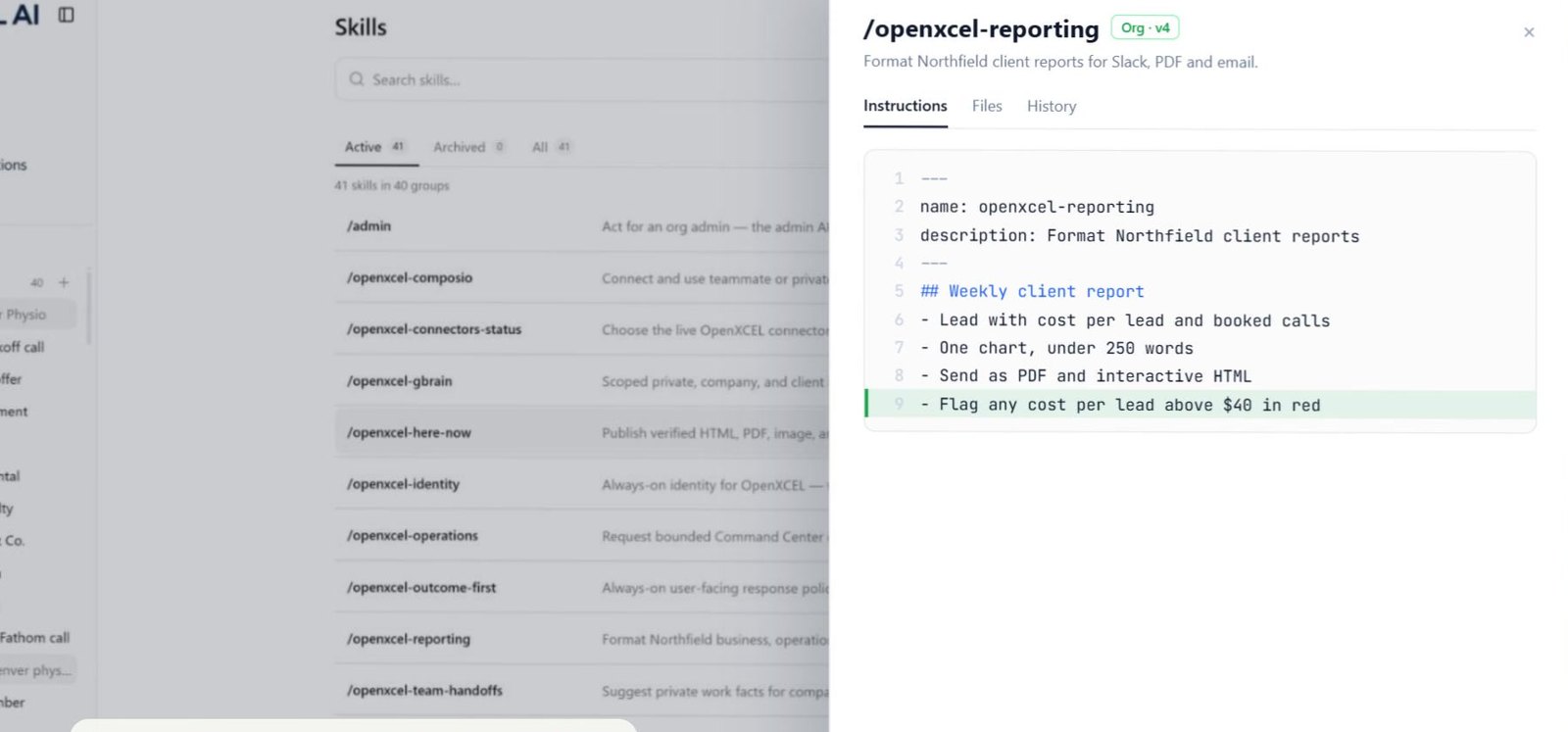
Skills
Teach the system how your team works.
Reusable instructions can govern outputs and workflows by scope. This filtered view shows two installed email-writing skills.

Captured 16 September 2026. Navigation and content were composed for readability; selected sensitive details are masked.
Ways we can configure your system
Your brand.
Your way of working.
Choose a useful first workflow, then shape the workspace around your team.


Ten starting points for different businesses
Marketing agencies
Client context, creative briefs and reporting.
Real estate teams
Listing knowledge, buyer follow-up and agent handoffs.
Consultancies
Proposal context, meeting decisions and project handoffs.
Recruitment teams
Role briefs, candidate coordination and onboarding.
E-commerce teams
Product knowledge, campaign briefs and support drafts.
Coaches and educators
Program knowledge, webinar follow-up and content drafts.
Clinic operations
Approved administrative procedures and team onboarding.
Field-service businesses
Job handoffs, procedures and customer follow-up.
Finance and bookkeeping teams
Internal knowledge, document coordination and draft reminders.
Training providers
Course operations, learner support and internal guidance.
Each starting point is scoped around the customer’s tools, data permissions and review requirements.
Start with one useful workflow
What keeps pulling your team back into admin?
Bring one recurring task, the tools involved and an example of the output you need. We’ll map a practical first implementation.